 By 管理员

CUDA (Compute Unified Devices Architecture, Unified Computing Architecture[1]) is an integration technology from NVIDIA that ties software and hardware together, and it’s the company’s official term for GPGPU. With this technology, users can put NVIDIA’s GPU to work on computation beyond image processing, and it was also the first time a GPU could be used as the development environment for a C compiler. The CUDA development kit (CUDA Toolkit) can only compile its own CUDA C language (for OpenCL it only provides the linking capability[2]), meaning the part running on the GPU gets compiled into PTX intermediate language or into machine code for a specific NVIDIA GPU architecture (NVIDIA officially calls it “device code”); meanwhile the central processing unit side — the C / C++ code NVIDIA officially calls “host code” — still relies on an external compiler — under Microsoft Windows you need Microsoft Visual Studio, while under Linux it mainly relies on GCC.
Even though CUDA is built on C/C++ at the low level and is compiled with “NVCC” — NVIDIA’s LLVM-based C/C++ compiler interface — engineers can also work with the CUDA platform through compiler directives (like OpenACC) and various programming language extensions. Fortran engineers, for example, can compile with “CUDA Fortran” or with PGI‘s PGI CUDA Fortran compiler. On top of that, the CUDA platform supports other compute interfaces too, such as Khronos Group’s OpenCL, Microsoft’s DirectCompute, and C++AMP. You can also call CUDA indirectly through interfaces in other languages like Python, Perl, Java, Ruby, Lua, Haskell, MATLAB, IDL, and Mathematica.
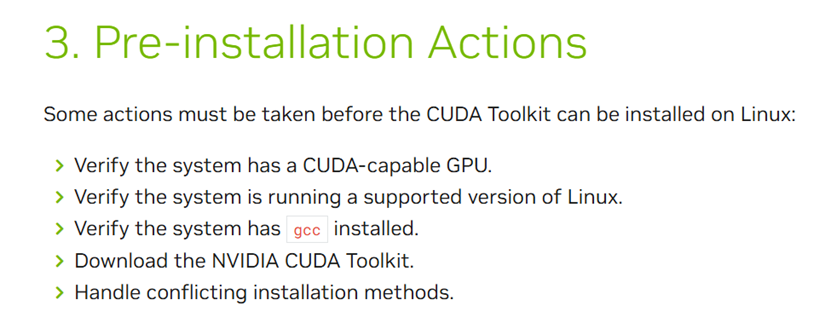
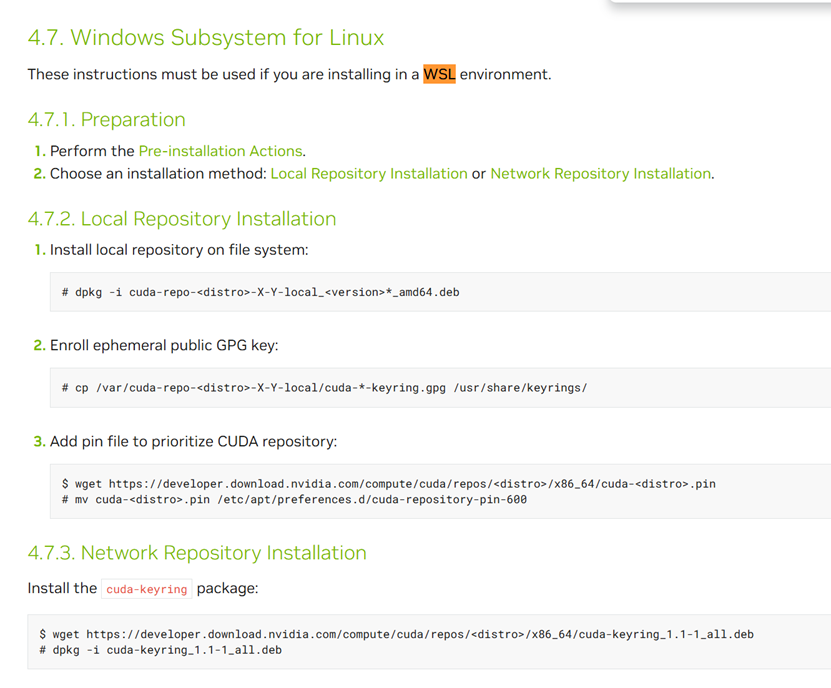

wget https://developer.download.nvidia.com/compute/cuda/repos/ubuntu2404/x86_64/cuda-ubuntu2404.pin

sudo mv cuda-ubuntu2404.pin /etc/apt/preferences.d/cuda-repository-pin-600

wget https://developer.download.nvidia.com/compute/cuda/12.9.1/local_installers/cuda-repo-ubuntu2404-12-9-local_12.9.1-575.57.08-1_amd64.deb

sudo dpkg -i cuda-repo-ubuntu2404-12-9-local_12.9.1-575.57.08-1_amd64.deb

sudo cp /var/cuda-repo-ubuntu2404-12-9-local/cuda-*-keyring.gpg /usr/share/keyrings/

sudo apt-get update

sudo apt-get -y install cuda-toolkit-12-9
/usr/local/cuda-12.9/bin/nvcc –version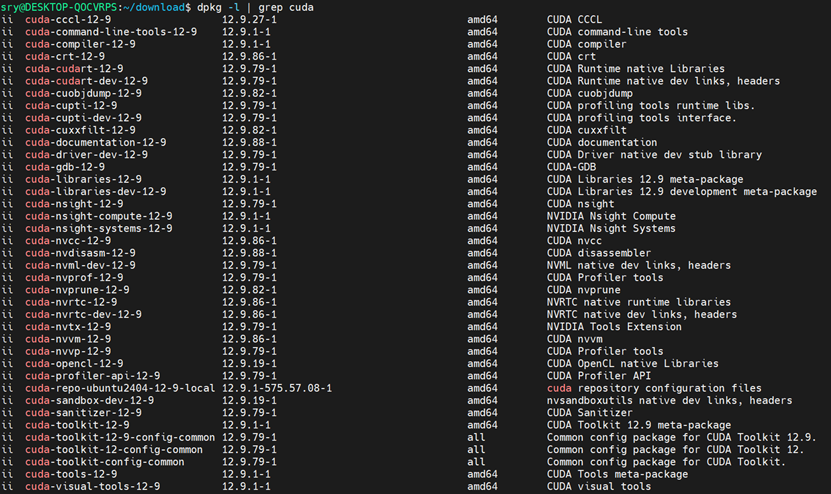
dpkg -l | grep cudanvidia-smiThese steps let you check the CUDA install and which packages actually got installed. One thing to keep in mind: you have to use nvcc from its full path, because it hasn’t been added to the environment variables.
Edit the .bashrc file
nano ~/.bashrcAdd these two lines at the end
export PATH=/usr/local/cuda-12.9/bin:$PATH

export LD_LIBRARY_PATH=/usr/local/cuda-12.9/lib64:$LD_LIBRARY_PATH
Apply the environment variable changes
source ~/.bashrcOnce that’s done you can call nvcc directly, and check it by looking at the version number.
nvcc --version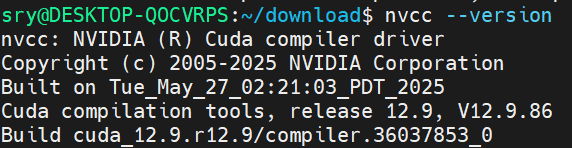
Reference links
https://zh.wikipedia.org/wiki/CUDA
https://docs.nvidia.com/cuda/cuda-installation-guide-linux/#local-repo-installation-for-wsl
https://docs.nvidia.com/cuda/cuda-installation-guide-linux/#meta-packages
Published on July 13, 2025