 By
By 
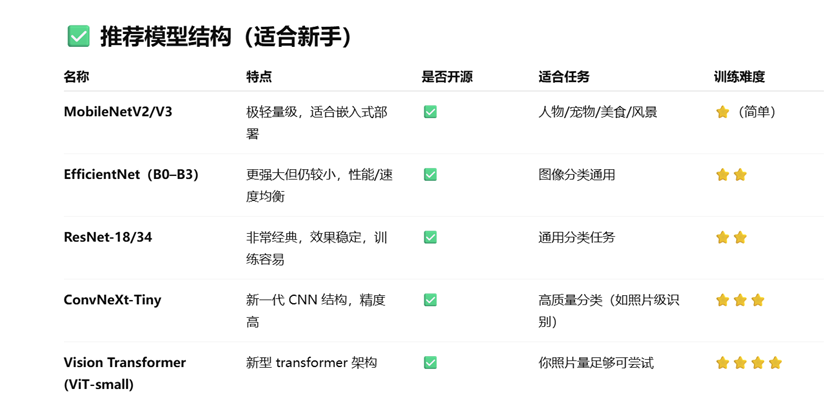
Among the photo classification models that GPT recommends, I’m starting with ResNet18.
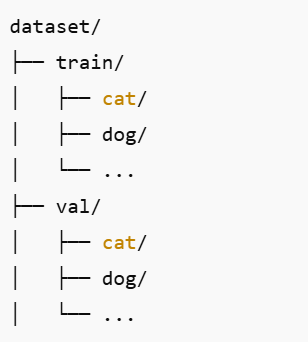
I set up a dataset folder on the NAS and sorted my own photos into classes: train holds the photos used for training, val holds the ones used to check the results.
Since all of my training data sits on the NAS, I mounted the NAS directory straight into WSL to save local space, and pull the photos over the LAN for training.
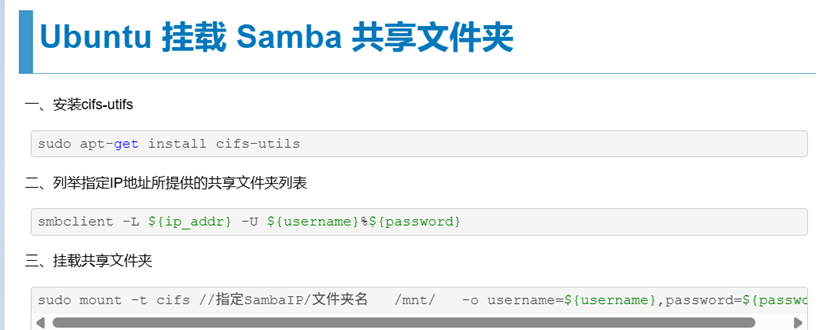
smbclient -L //192.168.31.xxx/smb/ -U
smbcredentials文件中写用户名密码,避免特殊字符导致的问题
sudo mount -t cifs //192.168.31.xxx/ /mnt/smb_share -o credentials=/home/sry/Projects/smbcredentials,vers=3.0
dmesg | tail
This is how I check for mount errors.
If the network gives you trouble, download the model by hand and drop it into a path in WSL.
https://download.pytorch.org/models/resnet18-f37072fd.pth
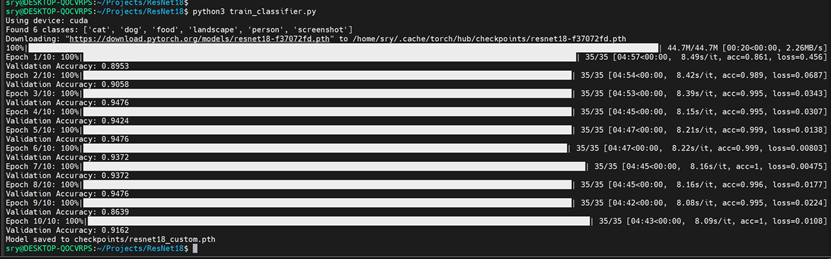
And that kicks off the first round of training.
I use nvidia-smi to check the GPU load, but since the dataset lives on the NAS, the load stays pretty low.
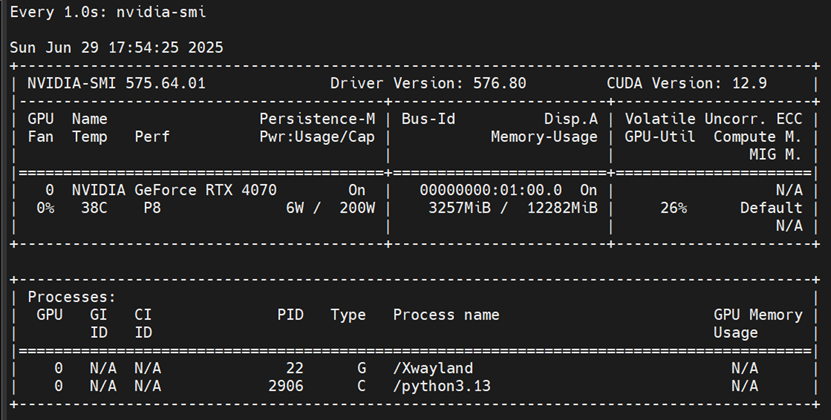
watch -n 1 nvidia-smiThis watches the GPU load in real time. Usage and power draw bounce around, and sometimes hit the peak.
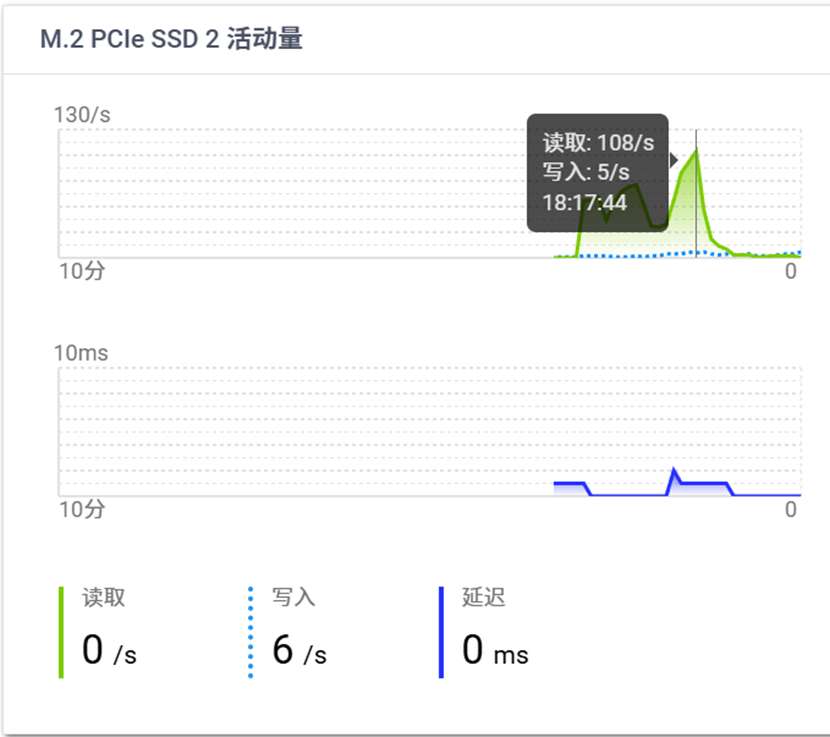
On the NAS side you can see uploads pegged the whole time, but my LAN is only gigabit. Even with an SSD acting as a fast cache, the network still became the bottleneck. If you can, put the photo dataset on the training machine’s local disk.
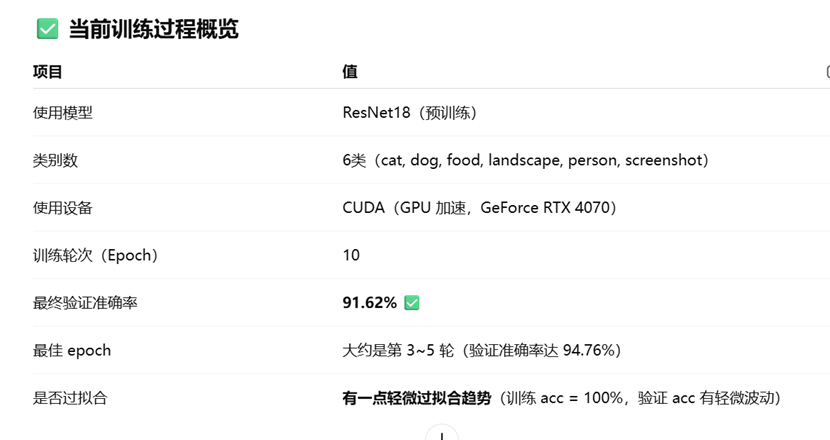
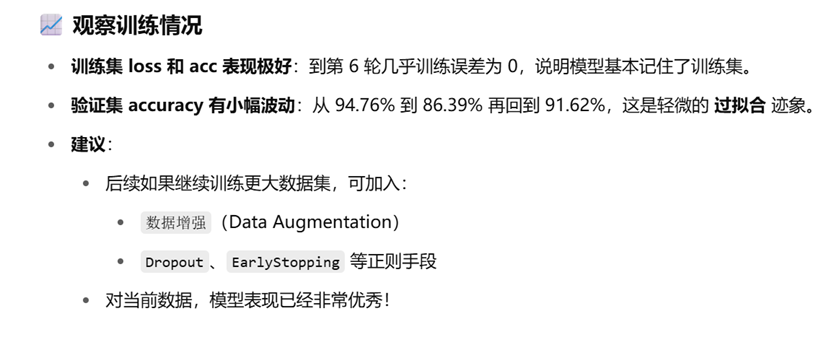
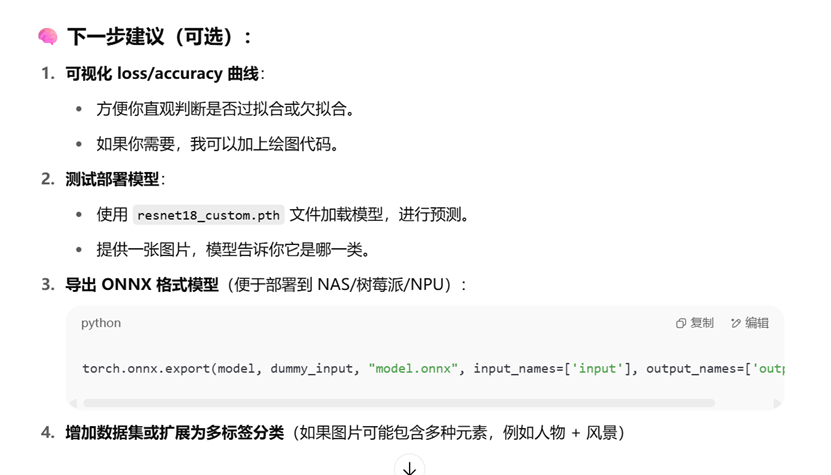
Here’s the script.
import torch
from torchvision import transforms, models
from PIL import Image
import os
# 设定类别名(和训练时的顺序一致)
class_names = ['cat', 'dog', 'food', 'landscape', 'person', 'screenshot']
# 使用 GPU 或 CPU
device = torch.device("cuda" if torch.cuda.is_available() else "cpu")
print(f"Using device: {device}")
# 加载 ResNet18 结构
model = models.resnet18()
model.fc = torch.nn.Linear(model.fc.in_features, len(class_names))  # 替换分类头
model.load_state_dict(torch.load("checkpoints/resnet18_custom.pth", map_location=device))
model.to(device)
model.eval()
# 图像预处理,必须和训练时保持一致
transform = transforms.Compose([
    transforms.Resize((224, 224)),
    transforms.ToTensor(),
    transforms.Normalize(mean=[0.485, 0.456, 0.406],  # Imagenet 预训练均值
                         std=[0.229, 0.224, 0.225])
])
# 输入你想预测的图片路径
image_path = "test_images/test1.jpg"  # <<< 修改为你的图片路径
assert os.path.exists(image_path), f"图片不存在: {image_path}"
# 加载图片
image = Image.open(image_path).convert('RGB')
input_tensor = transform(image).unsqueeze(0).to(device)  # 增加 batch 维度
# 推理
with torch.no_grad():
    outputs = model(input_tensor)
    _, predicted = torch.max(outputs, 1)
    confidence = torch.nn.functional.softmax(outputs, dim=1)[0][predicted].item()
print(f"预测类别:{class_names[predicted]},置信度:{confidence:.2f}")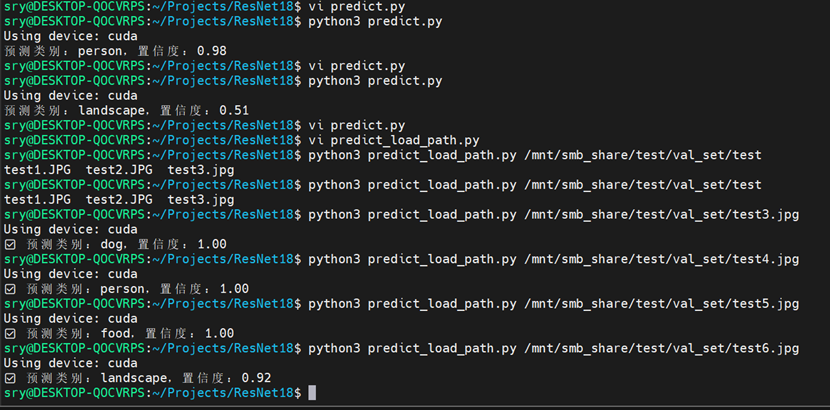
Testing with photos of people, dogs, food and landscapes all worked. A tiger photo, which it never saw in training, got labeled as a landscape, and with low confidence.
Here’s the script.
import torch
from torchvision import transforms, models
from PIL import Image
import os
import sys
# 类别名(保持和训练一致)
class_names = ['cat', 'dog', 'food', 'landscape', 'person', 'screenshot']
# 使用 GPU 或 CPU
device = torch.device("cuda" if torch.cuda.is_available() else "cpu")
print(f"Using device: {device}")
# 加载模型
model = models.resnet18()
model.fc = torch.nn.Linear(model.fc.in_features, len(class_names))
model.load_state_dict(torch.load("checkpoints/resnet18_custom.pth", map_location=device))
model.to(device)
model.eval()
# 图像预处理
transform = transforms.Compose([
    transforms.Resize((224, 224)),
    transforms.ToTensor(),
    transforms.Normalize(mean=[0.485, 0.456, 0.406],
                         std=[0.229, 0.224, 0.225])
])
# 获取图片路径(支持命令行参数或运行时输入)
if len(sys.argv) > 1:
    image_path = sys.argv[1]
else:
    image_path = input("请输入图片路径:").strip()
if not os.path.exists(image_path):
    print(f"❌ 图片不存在:{image_path}")
    sys.exit(1)
# 加载并预处理图片
image = Image.open(image_path).convert('RGB')
input_tensor = transform(image).unsqueeze(0).to(device)
# 推理
with torch.no_grad():
    outputs = model(input_tensor)
    _, predicted = torch.max(outputs, 1)
    confidence = torch.nn.functional.softmax(outputs, dim=1)[0][predicted].item()
print(f"✅ 预测类别:{class_names[predicted]},置信度:{confidence:.2f}")
Published on July 13, 2025.