 By 管理员

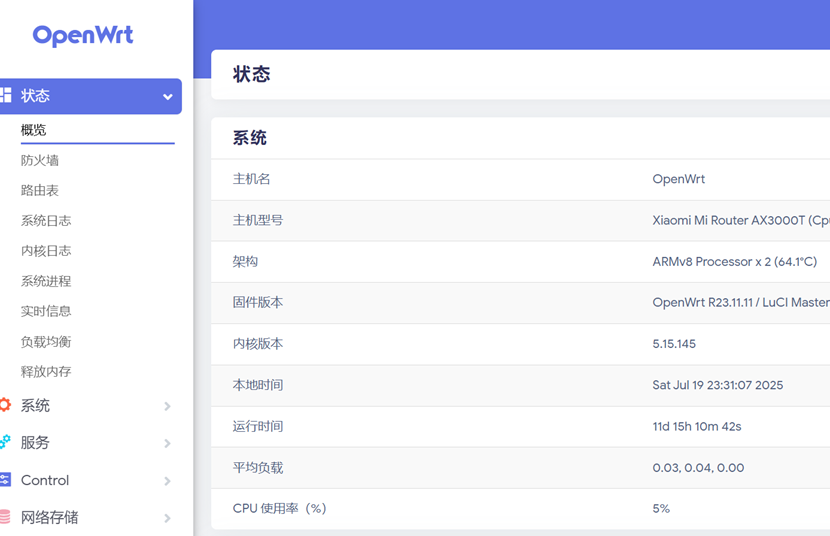
First, the tutorial to follow is flashing OpenWrt onto the AX3000T. The point of this setup is mainly to access **.
First, change the ssid to openwrt and openwrt5G.
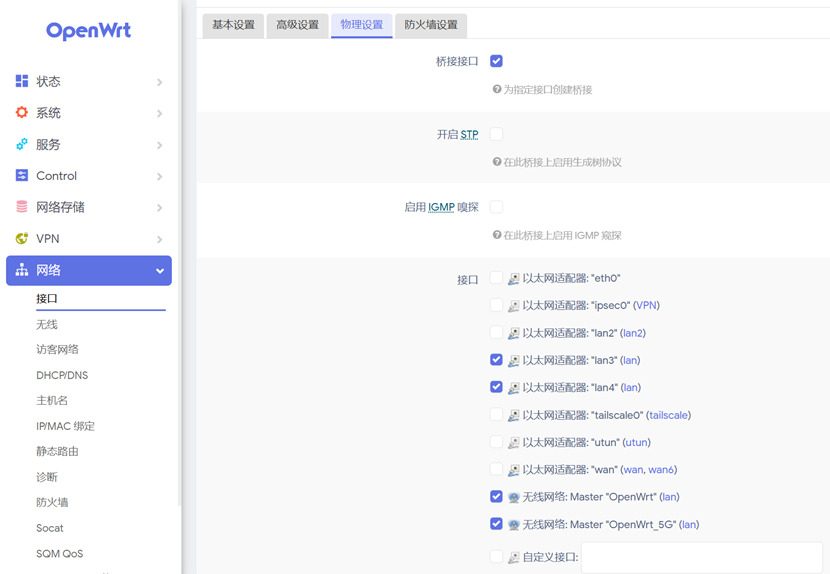
Then in the LAN interface, add lan3, lan4, openwrt and openwrt5G to the lan interface. The AX3000T has 4 lan ports in total: one is used as the wan port, and we keep lan2 as a regular lan port.
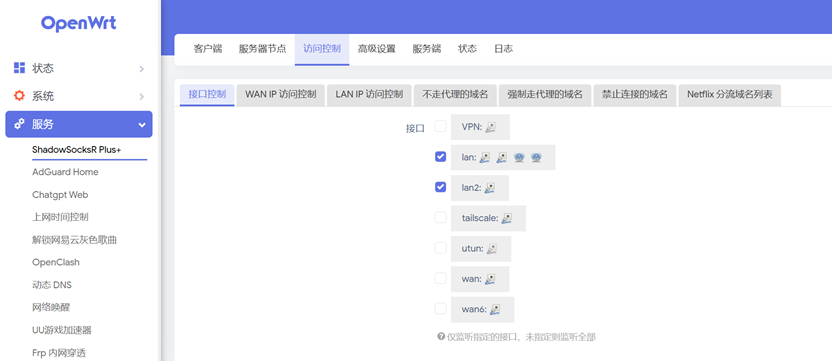
In shadow, select the lan ports you just added (lan2 is optional — you can include it or skip it).
Then in shadow’s server nodes, add your own subscription link. Once the nodes are updated, just pick the corresponding server.

That way the AX3000T’s wan port sits on a lan port of the main router, lan2 works as a regular network port, and lan3, lan4 and the wireless can all access **.
Other devices on the LAN can just connect to the openwrt wireless and access **. Or they can join the LAN wired or wirelessly, and in the network settings point the wireless gateway and dns to the AX3000T’s ip address — that gets you to ** too. In my network this setup mainly serves the AppleTV and the Raspberry Pi.
So the AX3000T works as a bypass router on the LAN. If a node goes bad or crashes, the rest of the LAN isn’t affected, and flashing and updating it stays easy. I think that’s a real advantage over flashing OpenWrt on the main router — much more robust and independent.
Published on July 19, 2025.